Kaggle Connector
Connect to Kaggle datasets and competitions. Download and sync datasets from Kaggle directly to your AI pipelines.
Connect to Kaggle datasets and competitions. Download and sync datasets from Kaggle directly to your AI pipelines.
Setup Instructions
1. Navigate to Data Integrations
Go to the Data Integrations tab in your flow.
2. Select Kaggle Integration
Click Select an Integration, type Kaggle in the search, and click Connect.
3. Create Kaggle API Credentials
To connect to Kaggle, you need to create API credentials:
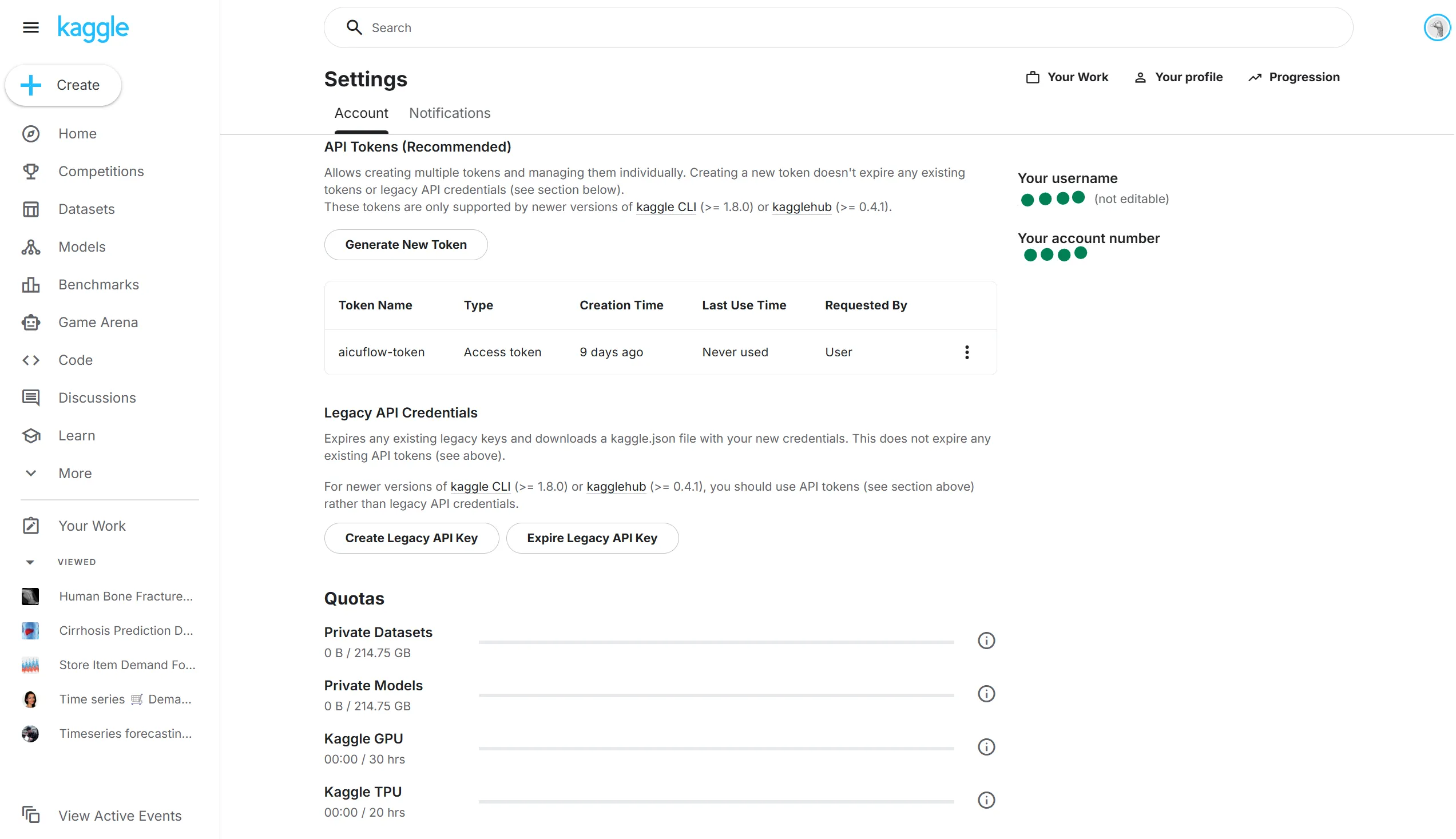
- Go to Kaggle Account Settings
- Scroll down to the API Tokens section
- Click Generate New Token
- Give your Token a name e.g. aicuflow-data-sync-token
- Copy the Token
- Find your username at the top right corner
4. Configure the Connector
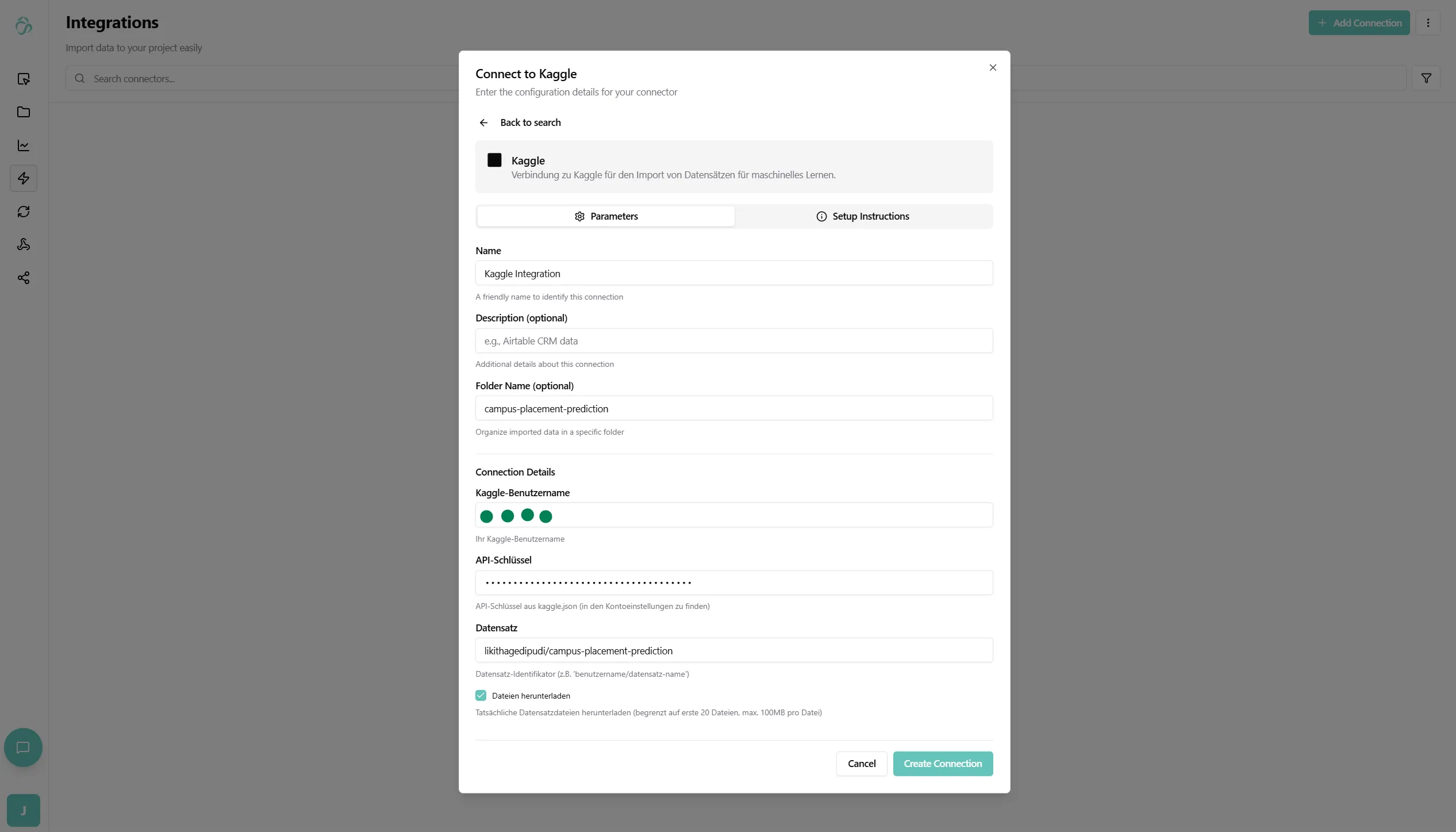
Back in the connector setup, fill in:
- Connector Name: Give your connector a descriptive name (e.g., "Kaggle Datasets")
- Username: Your Kaggle username
- API Key: Your API key / Token
- Folder (Optional): Select a destination folder in the file manager
- If not specified, data will be stored in the root directory
5. Specify Dataset or Competition
Choose what you want to download:
For Datasets:
- Dataset Owner: The username of the dataset owner (e.g.,
uciml) - Dataset Name: The name of the dataset (e.g.,
iris) - Full format:
owner/dataset-name
For Competitions:
- Competition Name: The competition identifier (e.g.,
titanic) - Some competitions require you to accept their terms before you can access the provided data
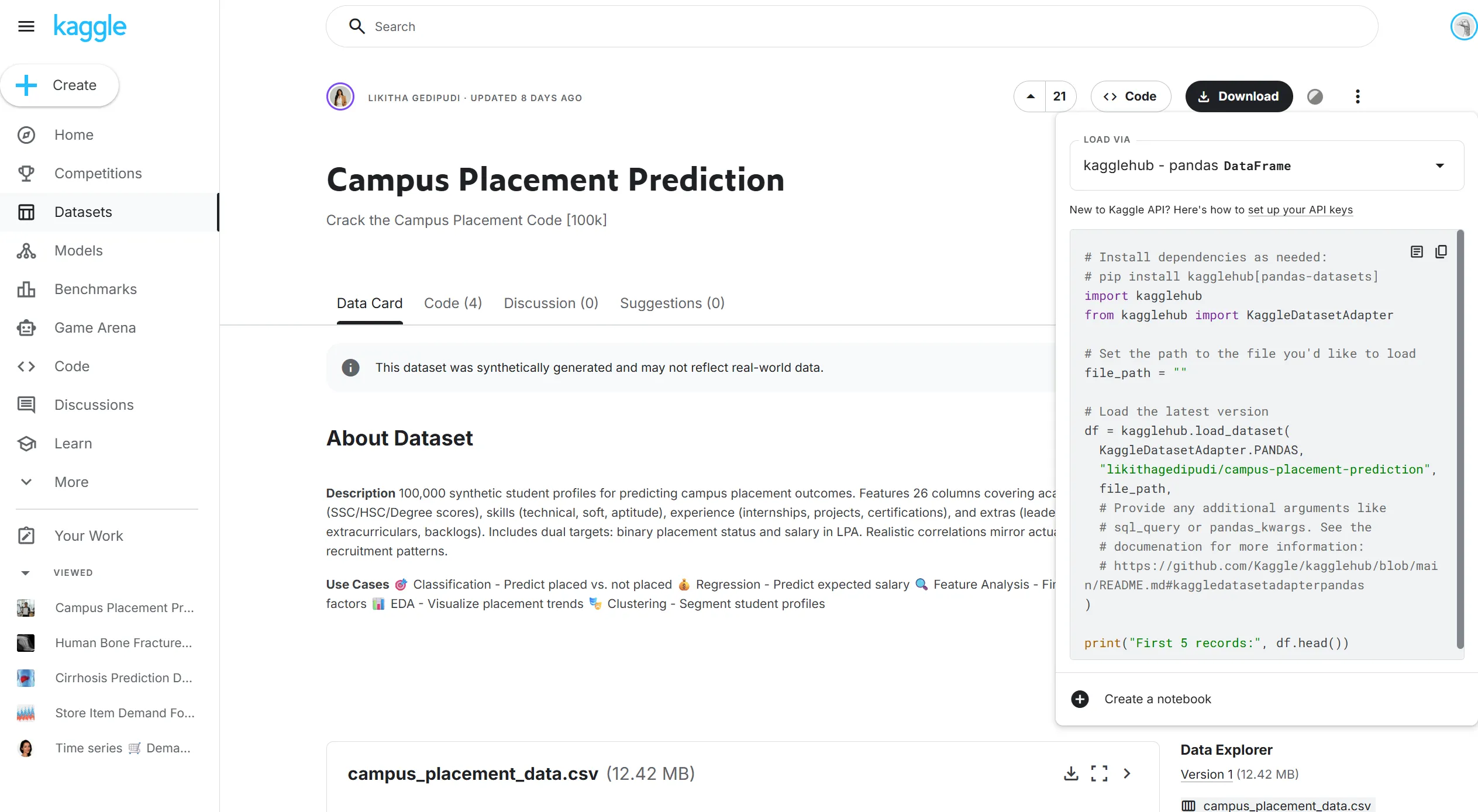
You can find these in the Kaggle URL:
- Dataset:
https://www.kaggle.com/datasets/uciml/iris→uciml/iris - Competition:
https://www.kaggle.com/c/titanic→titanic

Or in the UI when you click on code in the upper right corner:
6. Create the Connection
After filling in all details, click Create Connection.
The system will:
- Authenticate with Kaggle API
- Download the specified dataset or competition files
- Begin the initial data synchronization
7. Monitor Sync Status
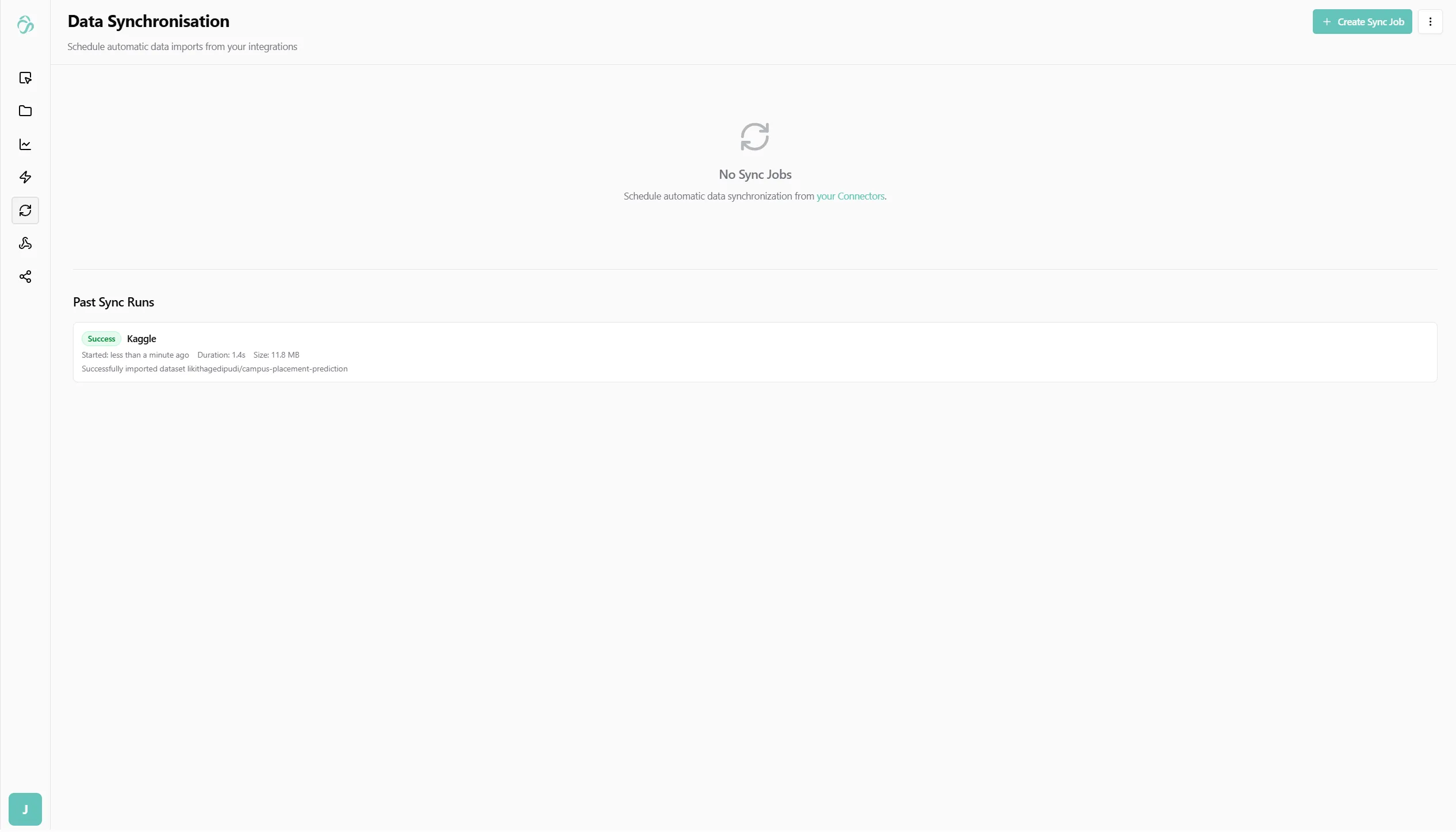
- Navigate to Data Synchronization to see the import progress
- The connector will download all files from the Kaggle dataset or competition
- Each file will be imported and available for use
8. Access Your Data
- Once the sync is complete, go to File Manager
- Navigate to the folder you specified (or root directory)
- You'll see all downloaded files from Kaggle
- Click on any file to preview the data
- The data is now ready to use in your AI pipelines and flows
What Gets Imported:
- All dataset files (CSV, JSON, images, etc.)
- Competition data files
- Metadata and descriptions (if available)
Best Practices:
- Keep your Kaggle API credentials secure and never share them
- Check dataset licenses before using them in production
- Regularly update datasets that change over time
- Use specific dataset versions when reproducibility is important
Common Kaggle Datasets:
uciml/iris- Classic Iris flower datasetdatasnaek/youtube-new- Trending YouTube videosrounakbanik/the-movies-dataset- Movies metadata and ratingszynicide/wine-reviews- Wine reviews and ratings